
Help during the meeting, not after it.
MeetMi listens along, transcribes on your device, and tells you what to ask next, what was left unanswered, and what contradicts something said earlier, while people are still talking.
One-week free trial. Requires macOS 26 on a Mac with Apple silicon, or iOS 26 on iPhone.
Live transcript
- Reed College at that time offered perhaps the best calligraphy instruction in the country.
- Every poster, every label on every drawer was beautifully hand calligraphed.
- I decided to take a calligraphy class to learn how to do this.
- I learned about seraph and sand seraph typefaces about varying the amount of space between different letter combinations, about what makes great typography great.
- None of this had even a hope of any practical application in my life.
- But 10 years later, when we were designing the first Macintosh computer, it all came back to me.
- It was the first computer with beautiful typography.
MeetMi
[Fact] He's now introducing the calligraphy example — Reed College offered perhaps the best calligraphy instruction in the country at that time.
[Fact] He likely means serif and sans-serif typefaces — "seraph" is a transcription slip for serif.
[Fact] He's describing typography basics: letter spacing (kerning/tracking) and what makes great typography, which he learned in the calligraphy class.
[Fact] 10 years later he says the calligraphy skills 'came back' when designing the first Macintosh — this is the payoff claim, but he hasn't yet explained how it was applied.
[Action] Note the upcoming Macintosh connection: expect him to claim Mac's typography came from Reed's calligraphy class — a claim to check for accuracy.
[Advice] Verify the claim that the Mac was the first with beautiful typography — early computers like the Xerox Alto had proportional fonts, so the 'first' label needs checking.
It follows the conversation so you can stay in it.
Short, specific suggestions
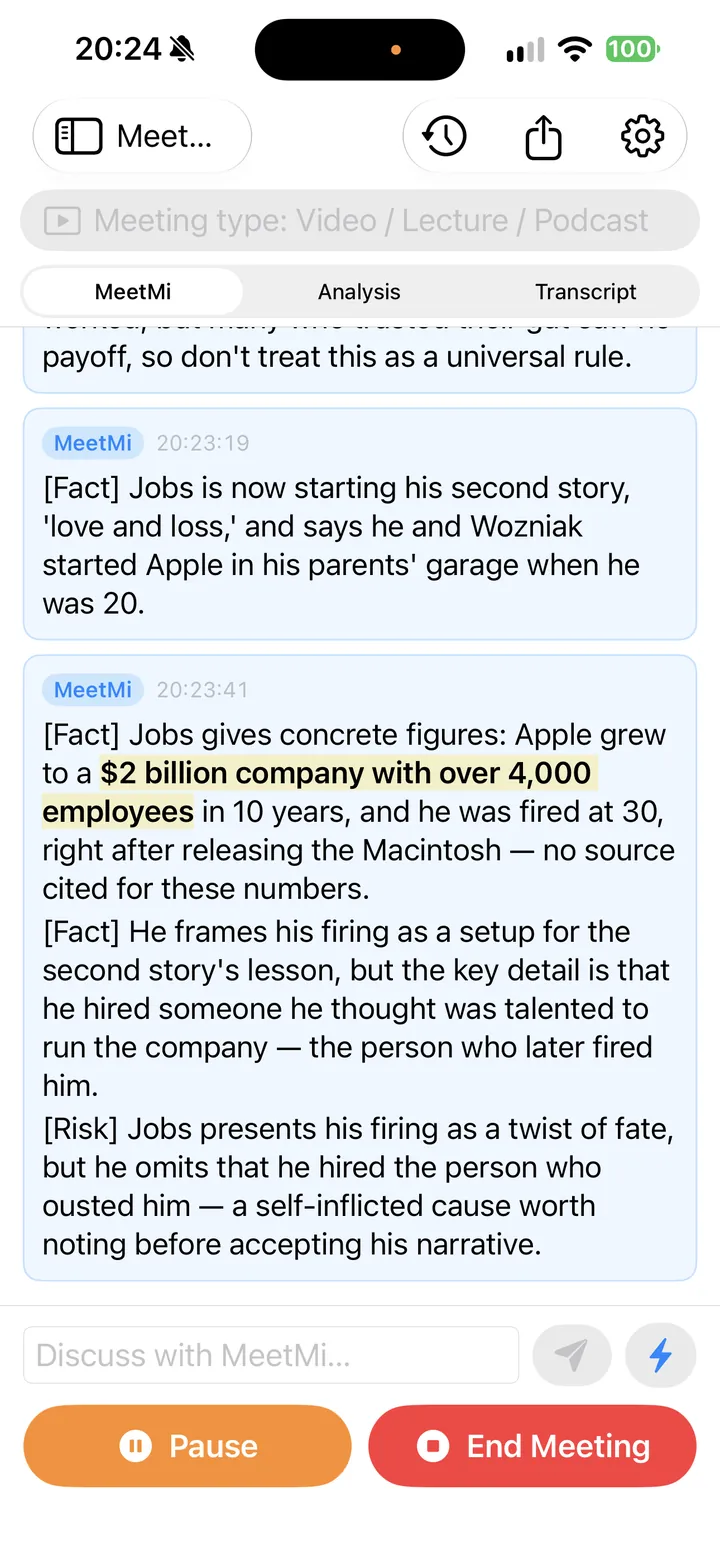
A real-time advisor follows along and posts what matters every few sentences: facts worth checking, risks worth raising, the next thing to ask.
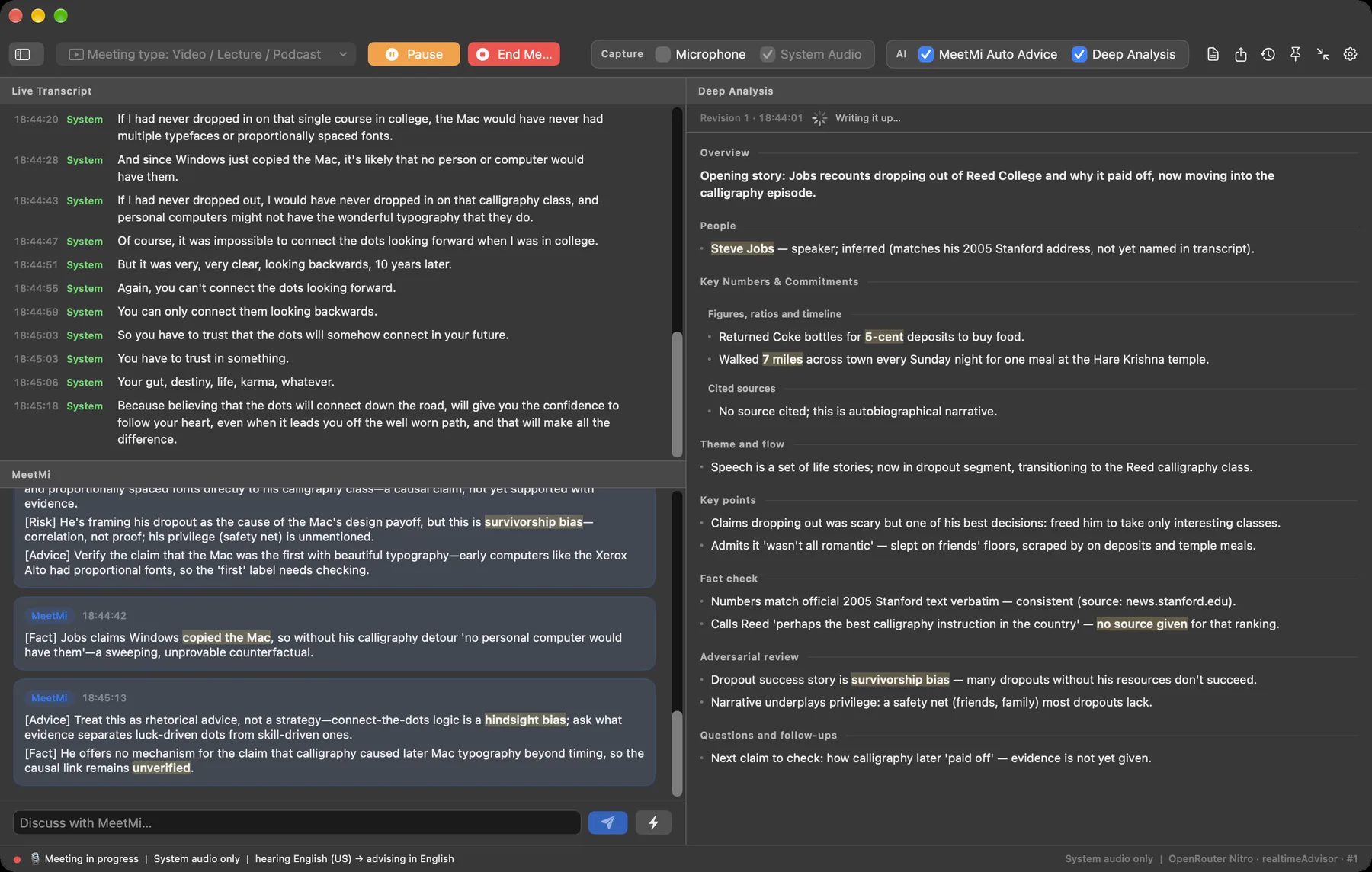
An analysis that keeps rewriting itself
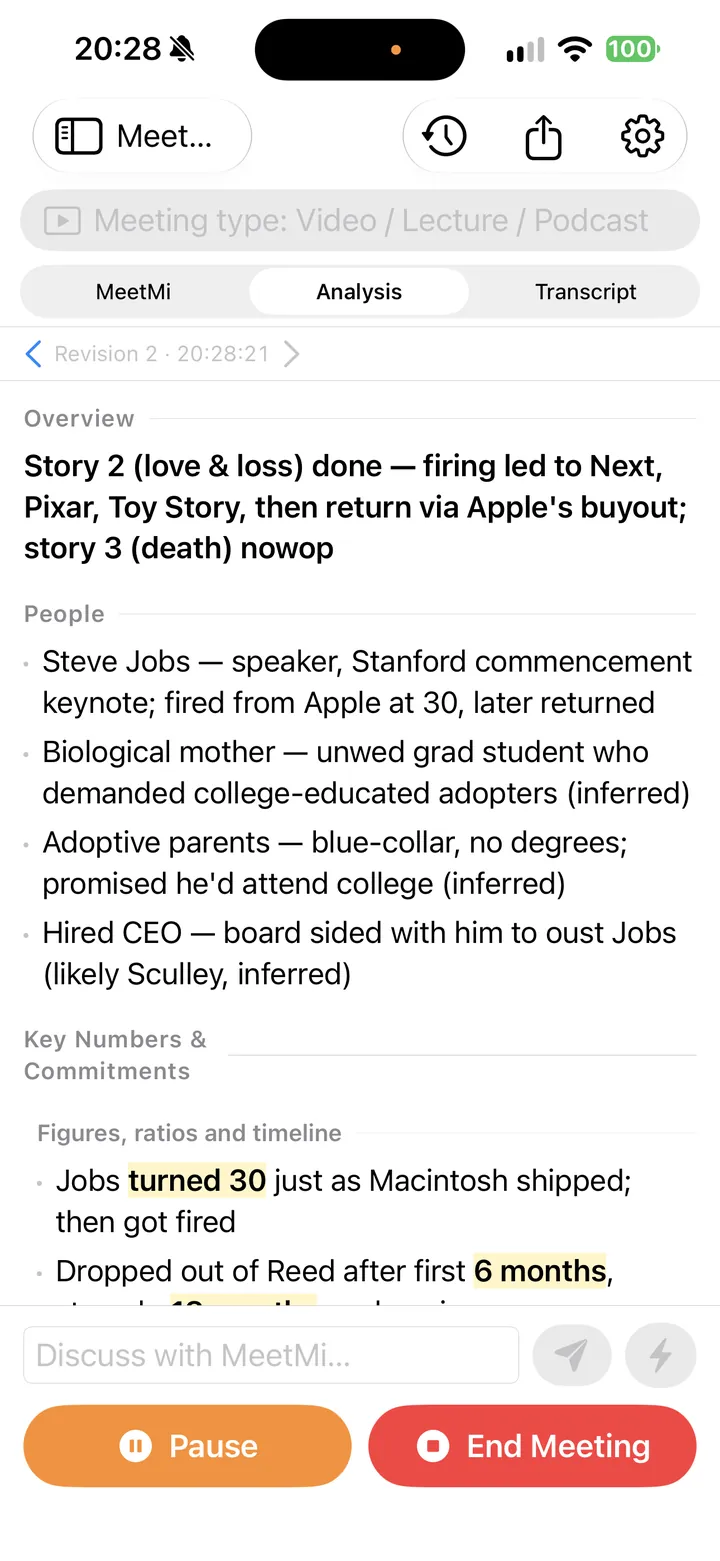
In the background, MeetMi keeps a running picture of the people, the numbers, the commitments and the open questions, and revises it every few minutes. Fact checks and an adversarial review are part of it.
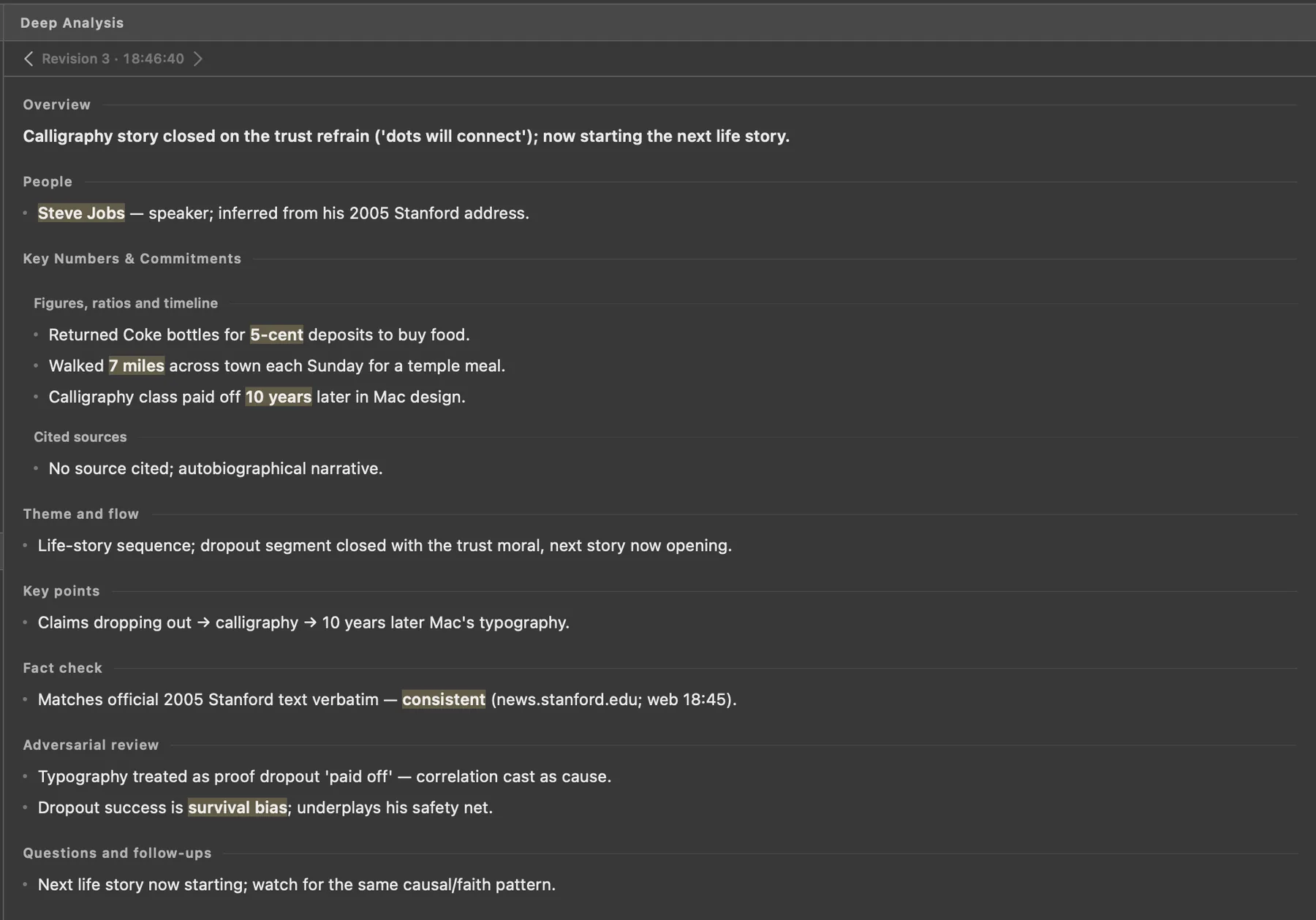
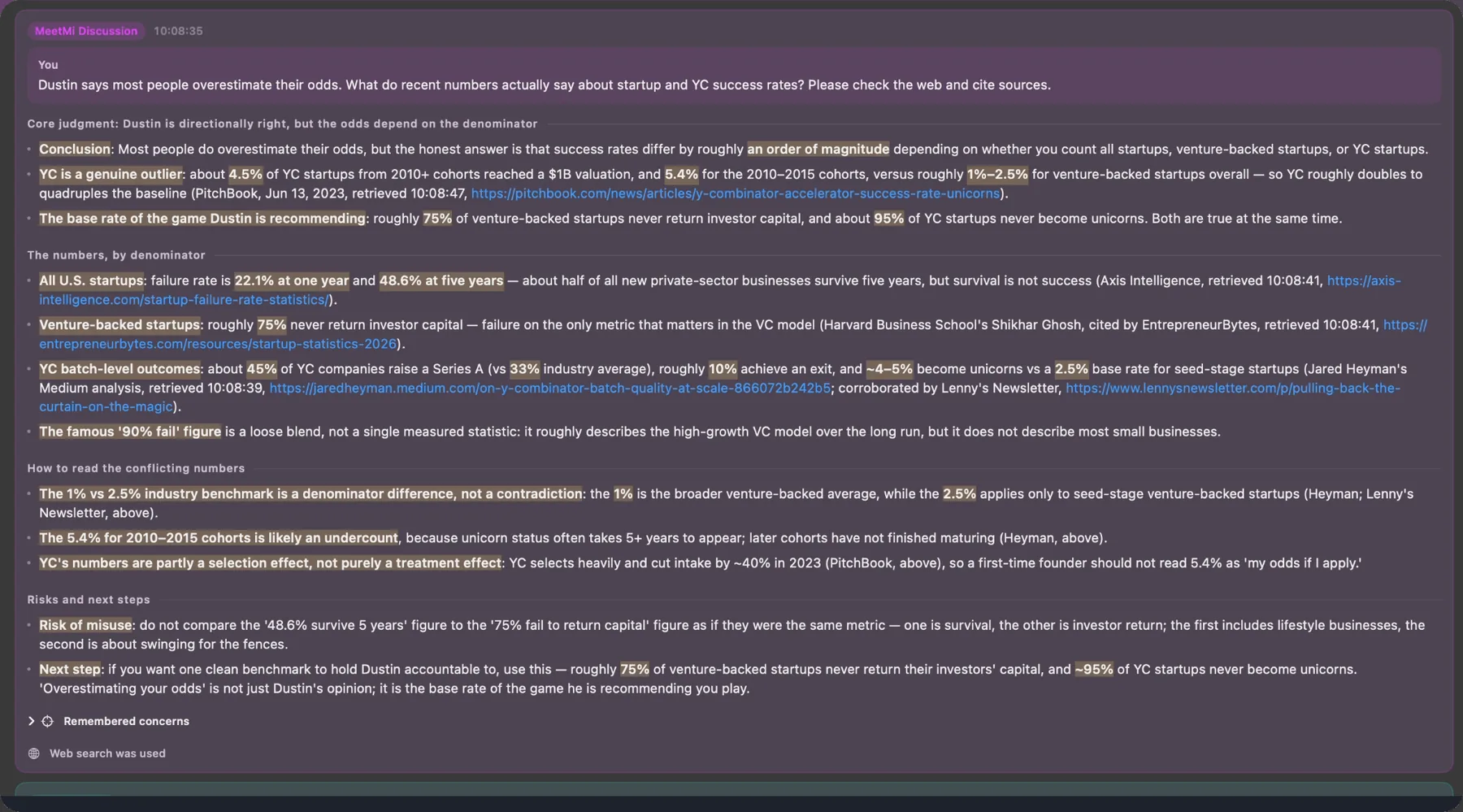
Ask anything, mid-meeting
Type a question and get an answer grounded in what has actually been said. With your separate consent, MeetMi can also research the web and cite what it finds.
Transcribed and translated on your Mac
Live transcription and translation use Apple's on-device speech models. Raw audio is never saved and never uploaded.
It hears the other side of the call
MeetMi can transcribe the audio coming out of your Mac, so remote participants are captured whichever app the call is in. macOS asks for its Screen & System Audio Recording permission for that. You can decline and use the microphone alone.
Notes written before you stand up.
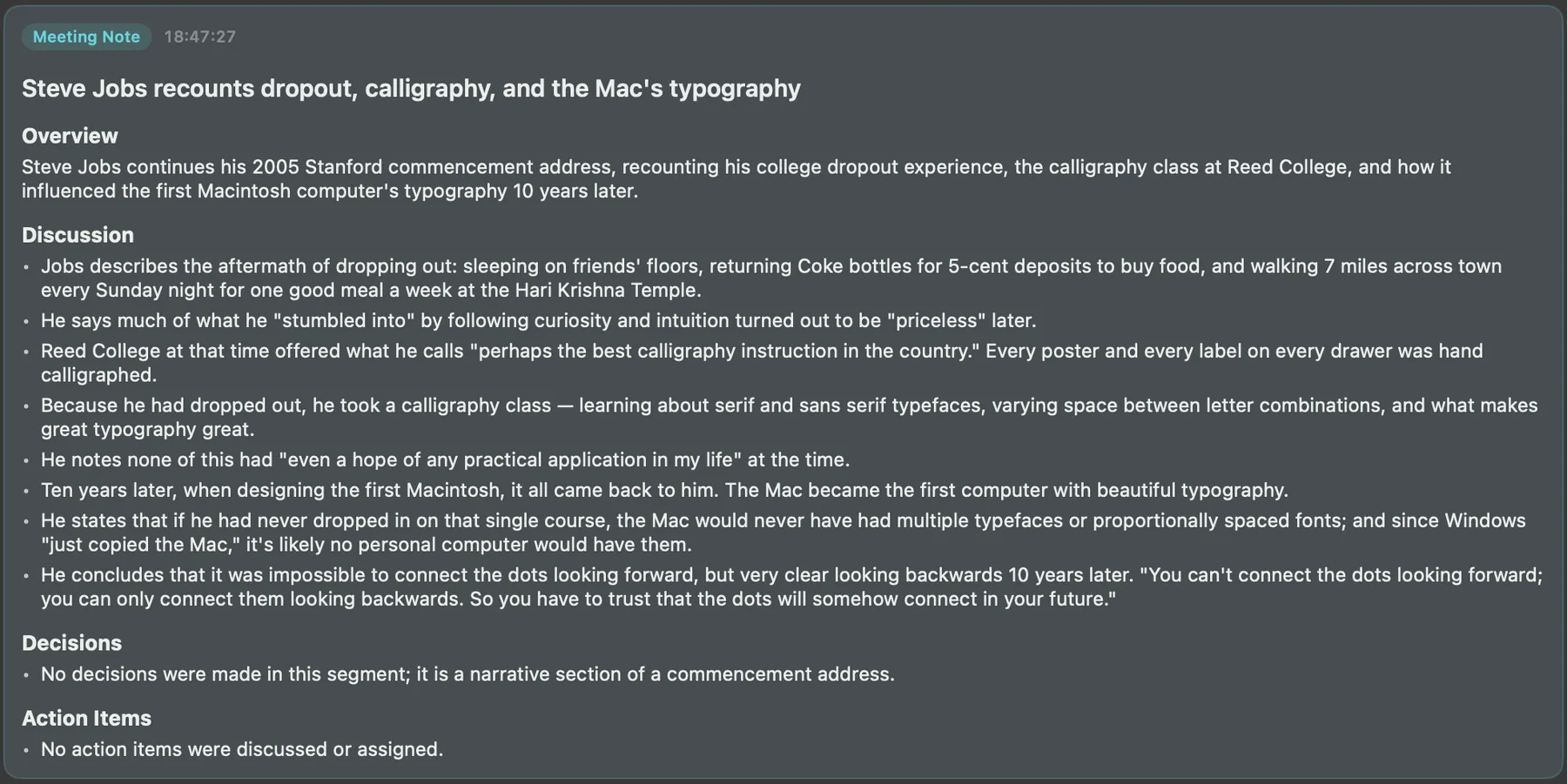
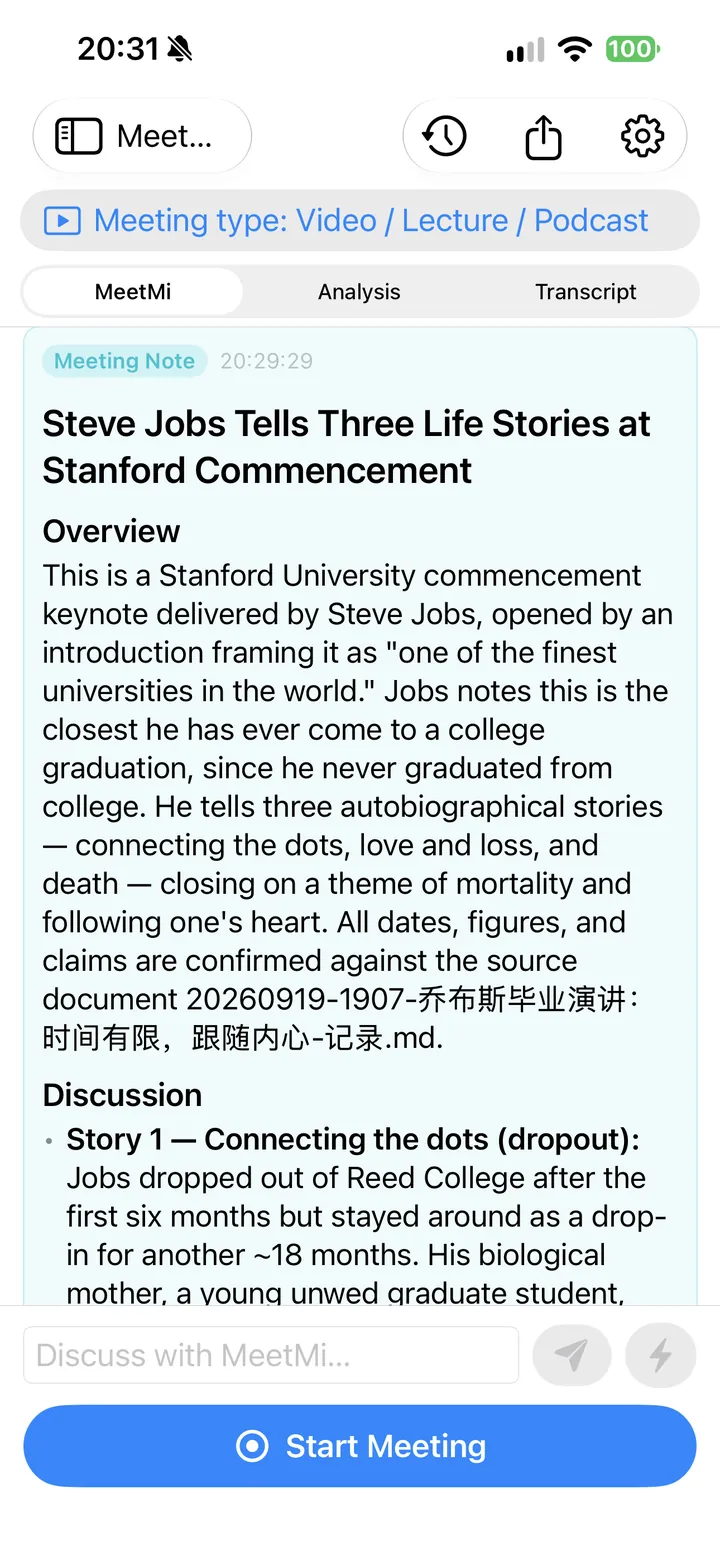
When the meeting ends, MeetMi drafts the notes from the transcript itself and the running analysis: an overview, the discussion, decisions and action items.
Export the notes, the analysis and the transcript as Markdown or plain text.
It reads your folder before it speaks.
Point MeetMi at a folder of briefs, specs, contracts or earlier notes, and its advice and meeting notes refer to your material instead of generalities. Notes are saved back to the same folder.
An optional AGENTS.md file in the folder tells MeetMi how you want it to work.
Reads Markdown, plain text, PDF, Word, Pages, HTML, RTF, CSV, JSON and YAML.
What stays on your device, and what doesn't.
Audio never leaves your device
Speech recognition and translation run on your device. Raw audio is never saved and never uploaded.
Cloud AI is off until you agree
Before any text is sent, the app shows which model and which providers it reaches. What goes is text: the transcript, your questions and relevant snippets from your folder, over a zero-retention route.
No account
There is nothing to sign up for. The App Store subscription is the only gate.
Web search needs its own consent
Research goes online only after its own consent, because search does not carry the same zero-retention guarantee. Real-time advice and meeting notes never search the web.
Your files stay in your folder
Transcripts, analysis and notes live on your device and in the folder you choose.
Let the people you meet with know
Rules on recording and transcription differ by place and workplace. The permission prompts on your own device are not consent from the other participants, so tell them when it applies.
Now on the App Store
MeetMi for iPhone
For meetings in the room. Put the phone on the table, and it keeps transcribing with the screen locked. One subscription covers Mac and iPhone, with one shared credit balance.
On iPhone, MeetMi listens through the microphone. On iOS 27 it can also hear what the phone plays — but not calls.
One plan, billed through the App Store.
Credits measure how much cloud AI you use, so a longer meeting uses more. Transcription and translation happen on your device and use none.
If the subscription lapses or the credits run out, transcription, translation, history and export keep working. Only new AI requests stop.
$9.99 per month in the United States
The App Store shows the price for your country or region before you subscribe.
- One-week free trial with 1,000 credits
- 4,500 credits every month after the trial
- One subscription for Mac and iPhone
- Cancel any time in your Apple Account
Questions
Does MeetMi record my meetings?
No. Audio is turned into text on your device as it arrives, and the raw audio is never saved or uploaded. What MeetMi keeps is the transcript, the analysis and the notes, on your device and in your folder.
Does it work with the meeting app I use?
MeetMi does not plug into meeting apps and does not need to. On a Mac it transcribes whatever audio your Mac is playing, plus your microphone. No bot joins the call, and there is nothing to install in the meeting app.
What is sent to the cloud?
Only after you agree: transcript text, your questions and relevant snippets from your folder go through the MeetMi relay to the AI provider over a zero-retention route. Audio never goes. The app shows the model and the providers before anything is sent, and asks again if they change.
Which languages does it work in?
Transcription uses Apple's on-device speech models and can pick the spoken language automatically when a meeting starts. Separately, you choose the language MeetMi writes in: English, Simplified or Traditional Chinese, Japanese, Korean, German, French, Spanish, Portuguese or Italian. It can listen in one language and advise in another.
What happens if I cancel?
Transcription, translation, your meeting history and export keep working. Only new AI requests stop. You manage or cancel the subscription in your Apple Account, like any App Store subscription.
What do I need to run it?
macOS 26 or later on a Mac with Apple silicon (M1 or newer), or iOS 26 or later on iPhone.